Payments Notifications - Payments - Automatic Payment by Card Successful / CardForAutoPaymentIsSaved

Introduction
This article explains the Automatic Card Payment confirmation notification that Customers receive when their Card Payment method is successfully saved in the system. The notification confirms that the functionality is now enabled and provides instructions for managing automatic payments.
In this article:
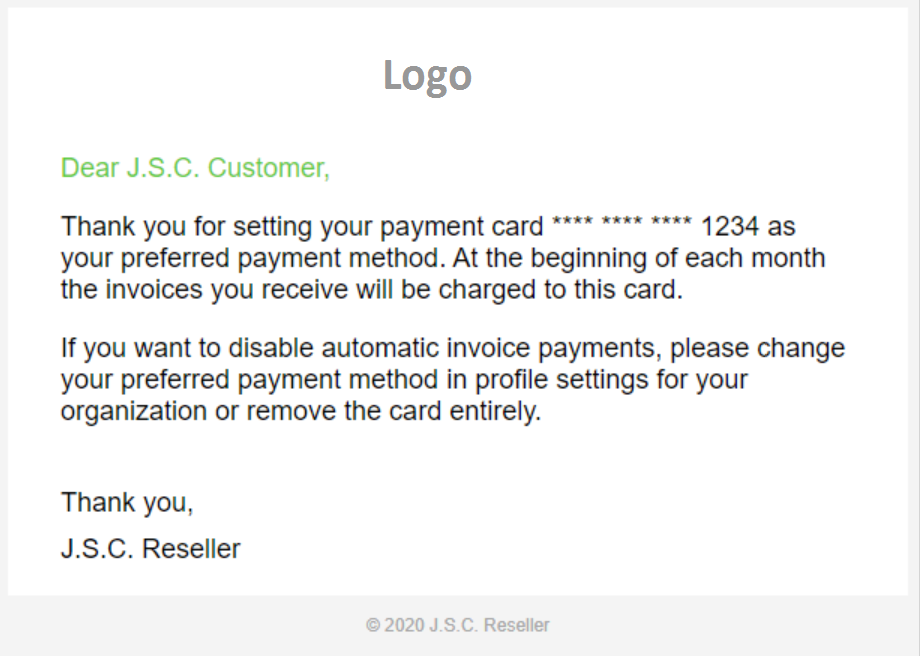
When your Card Payment is saved successfully in the Platform, the system automatically sends a confirmation notification to inform you that automatic payments are now activated for your Organization.
Understanding the Notification Trigger
The Automatic Card Payment confirmation notification is triggered when:
- Your Card Payment information is successfully saved to your Organization profile
- The system validates and confirms your payment method
Notification Recipients and Settings
Recipients:
- To: Customer Billing contact
- Cc: (optional) Seller Primary contact, Seller Billing contact, Customer Primary contact
- Bcc: (optional) Additional contacts as configured
The notification includes confirmation that your Card Payment ending in the last four digits will be charged automatically at the beginning of each Billing Cycle when Invoices are generated.
Summary
The Automatic Card Payment confirmation notification ensures Customers are informed when the payment card is activated on their account. The notification provides clear instructions for managing payment preferences and explains how Billing Cycles will be processed going forward.
Add comment
Please sign in to leave a comment.